Changes
Page history
Importing
authored
Sep 27, 2023
by
Ticxo
Hide whitespace changes
Inline
Side-by-side
Modeling/Animating-a-Model.md
View page @
06820c5a
...
@@ -71,29 +71,19 @@ Let's add some animations to the model we made before.
...
@@ -71,29 +71,19 @@ Let's add some animations to the model we made before.
#### idle [Loop]
#### idle [Loop]
> 
> 
#### walk [Loop]
#### walk [Loop]
> 
> 
#### feed [Override]
#### feed [Override]
> 
> 
These are 3 very basic animations done simply by moving and rotating a few parts. However, more complicated animations
These are 3 very basic animations done simply by moving and rotating a few parts. However, more complicated animations
are also done by such methods, only using more frames to create more fluid movements.
are also done by such methods, only using more frames to create more fluid movements.
## Importing Animations
## Importing Animations
Animations are automatically imported through the
`.bbmodel`
file you provided. No extra steps needed.
Animations are automatically imported through the
`.bbmodel`
file you provided. No extra steps needed.
\ No newline at end of file
## Results
> 
> Note: the animations shown here is controlled through MythicMobs.
With enough patience, you too can achieve something like this:
[
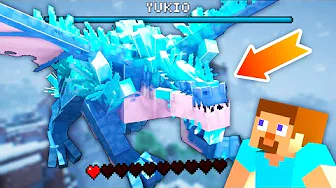
](https://youtu.be/TyxtEDoYud8)
\ No newline at end of file
