Changes
Page history
Create skills/mechanics/jsonmessage
authored
Aug 11, 2020
by
Ashen
Hide whitespace changes
Inline
Side-by-side
skills/mechanics/jsonmessage.md
0 → 100644
View page @
57827e80
Mechanic: JSON Message
======================
*Added in 2.3.2*
Sends a json-format chat message to the target player(s). JSON-messages
are capeable of hover-events, click events and some other perks that are
unavailable in the other message mechanics. They also support
[
color
codes
](
/databases/misc/colorcodes
)
and
[
message
variables
](
/skills/stringvariables
)
.
The format of JSON-messages is a little more advanced than your everyday
message. The syntax requires some extra symbols. If you don't know
anything about writing JSONs, you can visit
[
this
page
](
https://www.minecraftjson.com/
)
or
[
this
one
](
http://minecraft.tools/en/tellraw.php
)
for help.
**
Note that double quotes must be replaced with single quotes in
JSON-message mechanics.
**
Please do not post issues relating to this mechanic in the bug-report
subforums unless you're certain that your syntax is correct.
Attributes
----------
| Attribute | Aliases | Description | Default |
|-----------|---------|----------------------------------------------------------------|---------|
| message | m | The json-message to send. Must be surrounded by double-quotes. | |
Examples
--------
You can use both bukkit color codes or json color formatting:

Skills:
- jsonmessage{m="[{'text':'&aHey, i am a JSON message!'}]"} @trigger ~onInteract
- jsonmessage{m="[{'text':'Hey, i am a red JSON message!','color':'red'}]"} @trigger ~onInteract
------------------------------------------------------------------------
Here's an example of how to make use of hover-events:
<img
src=
"http://fs5.directupload.net/images/160309/7irfoune.jpg"
width=
"500"
height=
"30"
alt=
"http://fs5.directupload.net/images/160309/7irfoune.jpg"
/>
Skills:
- jsonmessage{m="[{'text':'&7With me, you can create hover events','hoverEvent':{'action':'show_text','value':{'text':'&aI am a hover event :)'}}}]"} @trigger ~onInteract
------------------------------------------------------------------------
And click events can be created like this. This is especially useful for
the /mm signal command to create interactive quest mobs. This example
would send the signal
<
signal
>
to the mob casting the json-message
mechanic, if the player clicks on the click-event.
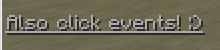
Skills:
- jsonmessage{m="[{'text':'&7&nAlso click events! :)','clickEvent':{'action':'run_command','value':'/mm signal <mob.uuid> <signal>'}}]"} @trigger ~onInteract
